
Table of Contents
Lossy vs Lossless Compression: What’s the Difference and Which Should You Use?
When optimizing images with image compressor tools for websites, blogs, or online platforms, one question always comes up: Should you use lossy or lossless compression?
Understanding the difference between these two compression methods is essential for improving website speed, maintaining image quality, and boosting overall performance.
In this comprehensive guide, we will break down:
- What lossy compression is
- What lossless compression is
- How they work
- Key differences
- Pros and cons
- Real-world use cases
- Which one is better for websites
By the end of this article, you will know exactly which compression method to use in different situations.
What Is Image Compression?
Before comparing lossy and lossless compression, it is important to understand what image compression means.
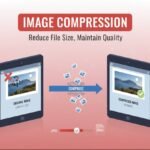
Image compression is the process of reducing the file size of an image by minimizing redundant or unnecessary data while preserving as much visual quality as possible.
Large image files:
- Slow down websites
- Increase hosting storage usage
- Consume more bandwidth
- Negatively affect SEO
Compression solves these problems by making images smaller and more efficient.
Now let’s examine the two primary types of compression.
What Is Lossy Compression?
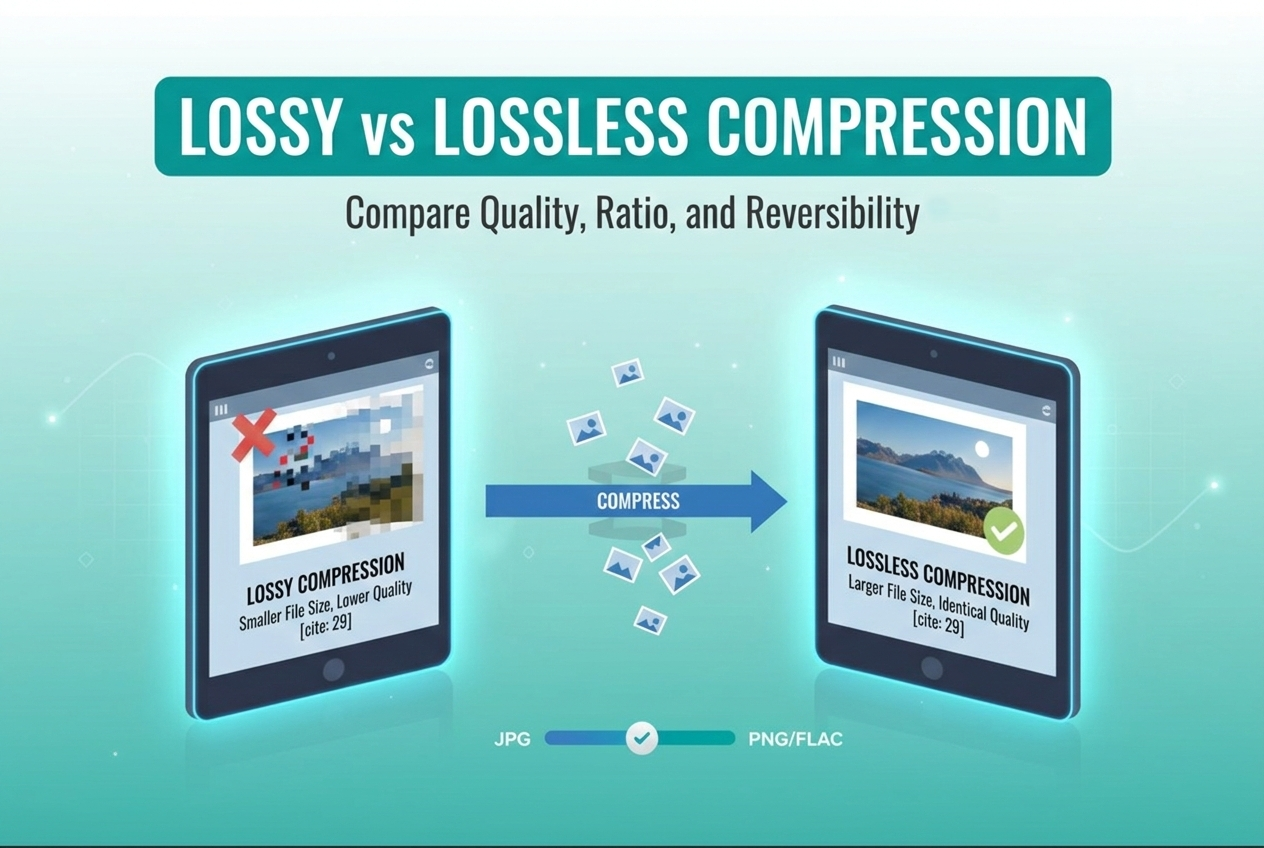
Lossy compression reduces image file size by permanently removing some data from the image.
The goal is to remove details that the human eye is less likely to notice. Once the data is removed, it cannot be restored.
For a deep dive into how data is preserved without loss, you can view the official PNG Technical Specifications hosted by the W3C.
This method focuses on visual perception rather than preserving exact data.
How Lossy Compression Works
Lossy compression works by:
- Analyzing image data
- Identifying redundant patterns
- Reducing color information
- Simplifying pixel detail
- Removing subtle variations
For example, if multiple neighboring pixels are very similar in color, lossy compression may combine them into a single value.
The result:
- Smaller file size
- Slight quality reduction
But when done correctly, the difference is often barely noticeable.
Common Formats That Use Lossy Compression
- JPG (JPEG)
- WebP (lossy mode)
- HEIC
- AVIF (lossy mode)
Among these, JPG is the most widely used format for websites.
Advantages of Lossy Compression
1. Significantly Smaller File Sizes
Lossy compression can reduce file size by:
- 40%
- 60%
- Even 80%
This makes it ideal for websites where speed matters.
2. Faster Website Loading Speed
Smaller images load faster, improving:
- Page load time
- Core Web Vitals
- User experience
- SEO performance
3. Reduced Bandwidth Usage
If you run a website with high traffic, lossy compression can save substantial bandwidth costs.
Disadvantages of Lossy Compression
1. Permanent Quality Loss
Once compressed, original data cannot be recovered.
Repeated compression can further degrade quality.
2. Visible Artifacts
Over-compression may cause:
- Blurry areas
- Blocky textures
- Color banding
This is especially noticeable in detailed or high-contrast images.
What Is Lossless Compression?
Lossless compression reduces file size without permanently removing any image data.
It reorganizes and compresses information efficiently so that the image can be restored exactly to its original state.
There is no quality loss.
How Lossless Compression Works
Lossless compression works by:
- Detecting repeating pixel patterns
- Encoding repetitive data more efficiently
- Removing unnecessary metadata
- Using advanced mathematical algorithms
When decompressed, the image returns to 100% original quality.
Common Formats That Use Lossless Compression
- PNG
- GIF
- WebP (lossless mode)
- TIFF
PNG is the most common lossless image format used online.
Advantages of Lossless Compression
1. No Quality Loss
The biggest advantage is perfect quality retention.
Ideal for:
- Logos
- Icons
- Graphics
- Screenshots
- Text-heavy images
2. Supports Transparency
PNG supports transparent backgrounds, making it suitable for web design elements.
3. Safe for Re-Editing
Because no data is lost, images can be edited multiple times without degradation.
Disadvantages of Lossless Compression
1. Larger File Sizes
Compared to lossy compression, lossless images are usually larger.
This can affect:
- Website speed
- Storage requirements
- Load performance
2. Not Ideal for Photographs
Photographs with complex color gradients often produce large file sizes in PNG format.
Key Differences Between Lossy and Lossless Compression
| Feature | Lossy Compression | Lossless Compression |
|---|---|---|
| Data Removal | Yes (permanent) | No |
| Quality Loss | Possible | None |
| File Size | Much smaller | Larger |
| Best For | Photos, web images | Logos, graphics |
| SEO Impact | Improves speed | May increase load time |
Which Is Better for Websites?
For most websites, lossy compression is the better option.
Here’s why:
- Websites prioritize speed
- Users prefer fast loading pages
- Search engines rank faster websites higher
High-quality lossy compression offers the best balance between visual clarity and file size.
However, for logos and design elements, lossless compression is recommended.
Real-World Use Cases
1. Blog Website
Use lossy compression for:
- Featured images
- Blog illustrations
- Article photos
Use lossless compression for:
- Logo
- Icons
- Transparent graphics
2. eCommerce Store
Product photos: Use high-quality lossy compression.
Brand elements: Use lossless compression.
3. Photography Portfolio
Photographers may prefer minimal compression or high-quality lossy compression to preserve visual detail.
Does Lossy Compression Always Reduce Visible Quality?
Not necessarily.
Modern compression tools allow you to adjust the quality level.
For example:
- 100% quality = minimal compression
- 80% quality = optimized balance
- 50% quality = noticeable quality drop
For websites, 70–85% quality often provides excellent results.
Most users cannot detect the difference.
Compression and SEO Performance
Search engines value fast-loading pages.
Images often make up 50% or more of a webpage’s size.
Using proper compression can:
- Improve Largest Contentful Paint (LCP)
- Reduce Total Blocking Time (TBT)
- Enhance user engagement
- Lower bounce rate
Lossy compression usually contributes more to performance gains because it produces smaller files.
When Should You Use Lossless Compression?
Choose lossless when:
- You need exact image accuracy
- The image contains text
- Transparency is required
- It’s a logo or brand asset
- The file will be edited repeatedly
When Should You Use Lossy Compression?
Choose lossy when:
- Uploading images to websites
- Sharing images online
- Optimizing blog content
- Posting on social media
- Reducing file size significantly
Can You Combine Both Methods?
Yes.
A smart optimization workflow includes:
- Resizing image dimensions
- Choosing correct format
- Applying lossy compression
- Testing visual quality
- Adjusting if necessary
For design assets, use lossless compression.
For photographs, use optimized lossy compression.
How Much Compression Is Ideal?
There is no single perfect percentage.
However, general guidelines:
- Web images: 60–80% compression
- Blog images: balance quality and speed
- High-detail photos: moderate compression
Always preview before publishing.
Modern Formats: WebP and AVIF
Modern formats like WebP and AVIF support both lossy and lossless compression.
Google provides extensive research on how these modern algorithms outperform traditional formats in their WebP Compression Study
They often produce:
- Smaller file sizes than JPG
- Better compression efficiency
- Strong performance improvements
However, compatibility should always be considered.
Common Mistakes to Avoid
1. Uploading Original Camera Images
Camera photos are often 5–10MB.
Always resize and compress first.
2. Over-Compressing
Extreme compression damages credibility and user trust.
3. Using PNG for All Images
PNG is not ideal for large photographic content.
Final Verdict: Lossy vs Lossless
There is no universal winner.
Lossy compression is best for:
- Websites
- Blogs
- Online images
- Speed optimization
Lossless compression is best for:
- Logos
- Icons
- Graphics
- Transparency
The smartest strategy is to use both appropriately.
Understanding when to use each method will improve website performance, enhance user experience, and support better SEO results.
Frequently Asked Questions (FAQ)

Leave a Reply