
Table of Contents
Quick Summary
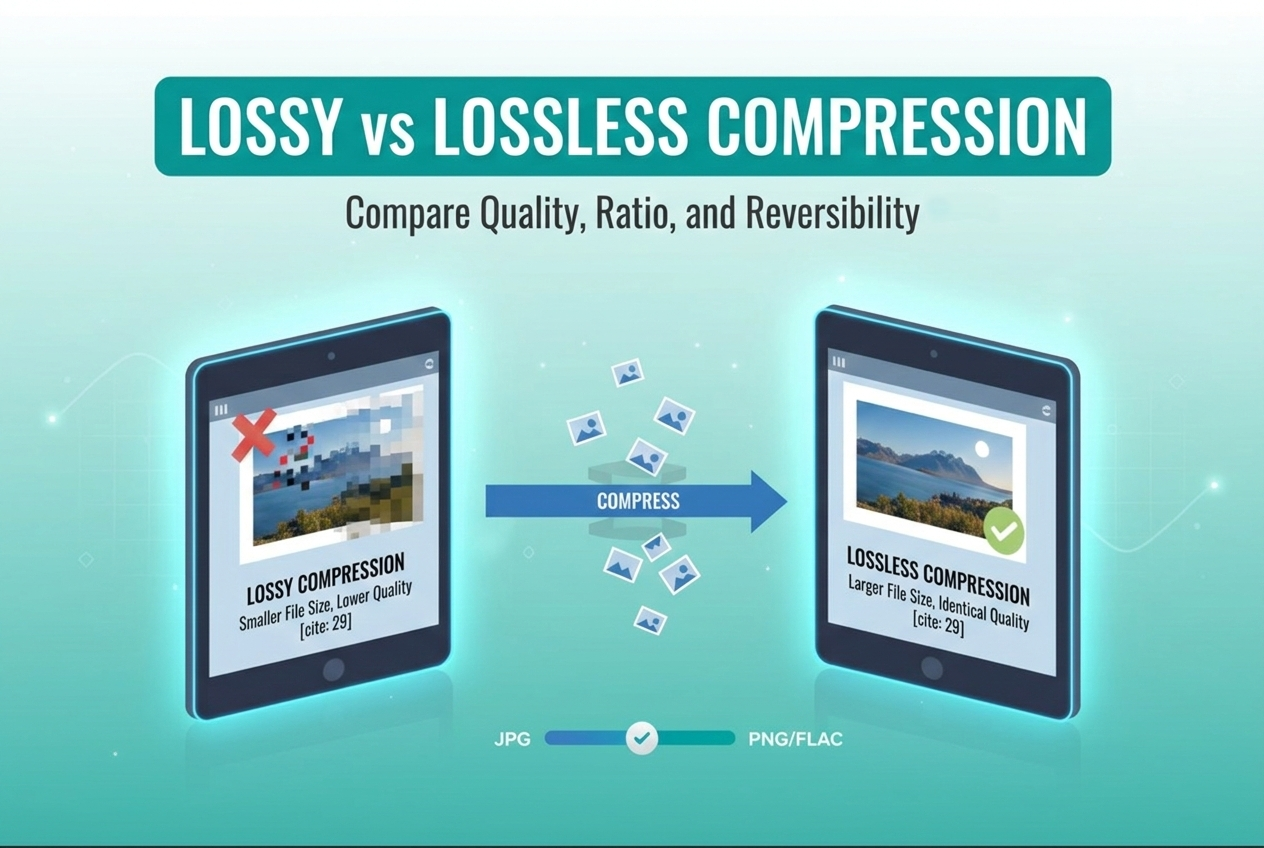
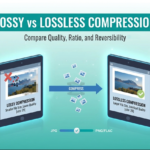
- Lossy Compression permanently removes non-essential data to drastically reduce file size (up to 90%). It is best for web images, streaming, and fast loading.
- Lossless Compression shrinks file size without losing a single pixel of quality. It allows perfect reconstruction of the original file. It is best for medical images, text, and professional editing.
- Choosing the right method improves your website speed, user experience, and SEO rankings.
- You can easily optimize your media using an Image Compressor tool to find the perfect balance.
Lossy vs Lossless Compression: The Ultimate Guide for 2026
If you work with digital files, you know that large images and videos can slow everything down. Heavy files eat up storage space and ruin website loading speeds.
To fix this, we compress our files. However, you have to choose between two main methods. Understanding Lossy vs Lossless Compression is the key to perfect file management.
One method shrinks your files massively but drops some quality. The other keeps every detail intact but leaves you with a larger file size.
In this guide, we will break down exactly how each method works. Therefore, you will know exactly which one to use for your specific needs.
What is Lossy Compression?
Lossy compression is a file reduction method that permanently deletes unnecessary data. The algorithm scans the file and throws away information the human eye or ear cannot easily detect.
For example, an image might have thousands of slightly different shades of blue in a sky. Lossy compression groups those similar shades into a single color.
As a result, the file size drops dramatically. In addition, the visual difference is often unnoticeable to the average person.
Key Characteristics of Lossy Formats
- Permanent data removal: Once the data is gone, you cannot get it back.
- Massive size reduction: You can reduce file sizes by 70% to 90%.
- Slight quality drop: High compression levels can make images look blurry or pixelated.
Common Lossy File Formats
- JPEG: The standard format for web photographs.
- MP3 / AAC: Used for audio streaming on platforms like Spotify.
- MP4: The go-to video format for YouTube and social media.
- WebP (Lossy): Google’s modern format that provides better compression than JPEG.
For a deeper dive into how modern algorithms like AVIF and WebP handle data removal, the MDN Web Docs guide on image codecs provides a detailed technical breakdown of 2026 standards. These resources explain how “on-the-fly” compression can save on-server costs while maintaining high visual quality.
What is Lossless Compression?
Lossless compression shrinks your file without throwing away a single piece of original data. It works by finding patterns in the file and coding them more efficiently.
Think of it like folding your clothes perfectly to fit in a suitcase, rather than throwing away shirts to make room. When you decompress the file, it is a 100% exact match to the original.
This method is highly favored by professionals. If you are editing a high-end photograph or storing a medical scan, you need absolute perfection.
Key Characteristics of Lossless Formats
- Zero data loss: The original file can be perfectly reconstructed.
- Moderate size reduction: It usually only reduces the file size by 5% to 30%.
- Perfect quality: There are no artifacts, blurriness, or lost details.
Common Lossless File Formats
- PNG: Perfect for web graphics, logos, and images with transparent backgrounds.
- FLAC / WAV: High-fidelity audio formats used by sound engineers.
- ZIP / RAR: Data compression formats for text, software, and document folders.
- GIF: Used for simple web animations with limited colors.
Comparison Table – Lossy vs Lossless Compression
To make things easy to digest, here is a direct comparison of Lossy vs Lossless Compression.
| Feature | Lossy Compression | Lossless Compression |
| Data Integrity | Removes non-essential data permanently. | Keeps 100% of the original data. |
| File Size Reduction | High (Up to 90% smaller). | Low to Moderate (5% to 30% smaller). |
| Reversibility | Irreversible (Cannot be restored). | Reversible (Can be perfectly restored). |
| Best For | Web images, streaming, everyday audio/video. | Professional photography, logos, text, data backups. |
| Quality Impact | Can introduce artifacts if compressed too much. | Zero impact on quality. |
| Popular Formats | JPEG, MP3, MP4, AVIF. | PNG, FLAC, ZIP, RAW. |
Why Does File Compression Matter for SEO?
Search engines like Google care deeply about user experience. If your website takes too long to load, visitors will leave.
Recent statistics show that the average web page size is around 2.5 MB. Images make up the largest chunk of that weight.
Furthermore, data shows that 40% of internet users will exit a website if it doesn’t load within 3 seconds. Using an Image Compressor is an absolute necessity for webmasters.
If you use heavy lossless formats for every photo on your blog, your page will load slowly. Therefore, using lossy compression for web photos is an easy way to boost your SEO rankings.
Real-Life Use Cases and Statistics
Let’s look at how different industries handle the Lossy vs Lossless Compression debate.
1. Streaming Giants (Netflix & Spotify)
Netflix and Spotify rely heavily on lossy compression. Millions of users stream their content simultaneously.
If Spotify used lossless audio (like WAV files) for every user, they would burn through mobile data plans instantly. By using lossy formats, they deliver smooth playback without constant buffering.
2. Professional Photography
A wedding photographer shooting a live event uses RAW formats (lossless). They need every single pixel of light and color data to edit the photos later in software like Adobe Lightroom.
However, when they upload a sneak peek to Instagram, the app applies lossy compression to make the image load instantly on phones.
3. Web Design and E-Commerce
An online store selling shoes needs fast load times. According to Google, WebP lossy images are about 30% smaller than JPEGs at the same perceived quality.
Smart web designers use lossy WebP for product photos, but they use lossless PNGs for the company logo to keep the edges sharp. You can automate this process using an external Image Compressor tool.
Common Mistakes to Avoid
When dealing with media files, beginners often make a few critical errors.
- Saving a JPEG as a JPEG repeatedly: Every time you edit and save a lossy file, it compresses again. This destroys the quality over time. Always edit a lossless master file, then export it as a lossy file once.
- Using PNGs for detailed photographs: PNG is a lossless format meant for graphics. Using it for a highly detailed photograph will result in a massive file size that slows down your website.
- Over-compressing for the sake of speed: While small files are great, pushing a lossy compressor too far will make your images look like a blurry mess. Always check the visual preview.
- Ignoring modern formats: Still using only JPEG and PNG? You are missing out. Formats like WebP and AVIF offer superior size-to-quality ratios.
Pro Tips for Perfect File Optimization
Here are some expert strategies to master your file management.
- Keep a “Master Archive”: Always keep a folder of your original, uncompressed lossless files (like RAW or high-res PNG). Only use lossy compression on the copies you plan to publish online.
- Use the 80% Rule: When exporting JPEGs for the web, setting the quality slider to 70% or 80% usually cuts the file size in half without a noticeable drop in visual quality.
- Automate your website compression: If you run a WordPress site, don’t manually compress every image. Use a plugin or an automated Image Compressor to handle it behind the scenes.
- Match the format to the content: Use SVG or PNG for text-heavy images and logos. Use JPEG or WebP for faces, nature, and complex scenes.
Detailed FAQ Section
Here are some of the most common questions people ask regarding Lossy vs Lossless Compression.
Conclusion
Understanding the difference between Lossy vs Lossless Compression is essential for anyone dealing with digital media.
To sum it up, lossy compression is your best friend for web publishing. It drastically reduces file sizes, ensuring your website loads quickly and your users stay engaged.
On the flip side, lossless compression is your safety net for archiving and professional editing. It guarantees that not a single piece of valuable data is ever lost.
By applying the right compression method to the right scenario, you optimize both quality and performance.




Leave a Reply