
Table of Contents
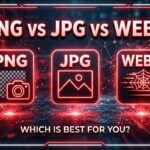
PNG vs JPG vs WebP: Which Image Format Is Best for You?
Choosing the right image format is essential for website performance, image quality, and storage efficiency. Many beginners upload images without understanding the technical differences.
The result is often slow websites and high bandwidth costs. In this guide, we’ll explain which image format is best for your specific needs to ensure a professional user experience.
Understanding Modern Image Formats
An image format determines how a file is stored and compressed. This directly affects your Core Web Vitals and search engine rankings.
The three most common formats on the web today are:
- JPG (or JPEG): The king of photographs.
- PNG: The standard for graphics and transparency.
- WebP: Google’s high-performance modern alternative.
1. What is JPG (JPEG)?
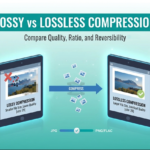
JPG uses “lossy” compression. This means it removes invisible data to keep file sizes extremely small.
When Should You Use JPG?
JPG works best for images with complex colors, such as:
- High-resolution photographs.
- Colorful blog featured images.
- Product photos for eCommerce.
Advantages of JPG
- Small File Size: Significantly reduces weight compared to PNG.
- Universal Support: Works on 100% of browsers and devices.
- Adjustable: You can use our image compressor to find the perfect balance.
2. What is PNG?
PNG (Portable Network Graphics) uses “lossless” compression. It preserves every single pixel of data, making it the highest quality option.
When Should You Use PNG?
PNG is the choice for precision and transparency, including:
- Company logos and branding.
- Icons and UI elements.
- Graphics with text that must stay sharp.
Advantages of PNG
- Transparency: Supports alpha channels for clear backgrounds.
- No Quality Loss: Images never become blurry during saving.
- Professional Clarity: Keeps edges crisp for technical diagrams.
Note: If your PNG files are too heavy, you should use a png to jpg converter to save space.
3. What is WebP?
WebP is a modern format developed by Google. In 2026, it is the standard for high-performance websites because it combines the best of both worlds.
According to Google’s official WebP documentation, this format provides superior lossless and lossy compression for images on the web.
When Should You Use WebP?
WebP is ideal for almost all web-based visuals, especially:
- Background images.
- Mobile-optimized galleries.
- Web assets requiring transparency with small file sizes.
Advantages of WebP
- Superior Compression: Often 25–35% smaller than JPG.
- Dual-Support: Handles both lossy and lossless data.
- SEO Growth: Google rewards sites that serve images in next-gen formats.
The Ultimate Comparison: PNG vs JPG vs WebP
| Feature | JPG | PNG | WebP |
| Compression | Lossy | Lossless | Both |
| Transparency | No | Yes | Yes |
| File Size | Small | Large | Smallest |
| Best For | Photos | Logos | Performance |
When deciding which image format is best, consider that a PNG photo can be 10x larger than a JPG. However, for a logo, a PNG is essential for a clean, professional look.
Both PNG and JPG have been the internet standard for decades, maintained under W3C Graphics standards.
Impact on Speed and SEO
According to HTTP Archive, images account for nearly 50% of a webpage’s total weight. Using the wrong format is the #1 reason for slow-loading pages.
Optimizing your images is a key part of passing the Core Web Vitals, which Google uses to measure page experience.
- Case Study: A 2025 study showed that converting a site from PNG to WebP improved mobile load times by 1.2 seconds.
- User Experience: 40% of users abandon a site if it takes longer than 3 seconds to load.
To maintain a fast site, you may need to use a webp to png converter for editing, then switch back to WebP for final publishing.
Strategy: How to Choose in 2026?
To build a high-ranking site, follow this professional strategy:
- Use JPG for large, detailed photographs.
- Use PNG for logos and icons that require transparency.
- Use WebP as your default “serving” format for blog content.
If you have images in the wrong format, you can easily use a jpg to png converter to fix compatibility issues instantly.
Conclusion
Understanding which image format is best allows you to balance visual beauty with technical speed. By choosing WebP for performance, JPG for photos, and PNG for logos, you ensure your website remains professional and fast.
Ready to optimize? Use our suite of tools at ImageSector to convert and compress your files in seconds.



Leave a Reply